In the Bibliography Section, you have two options:
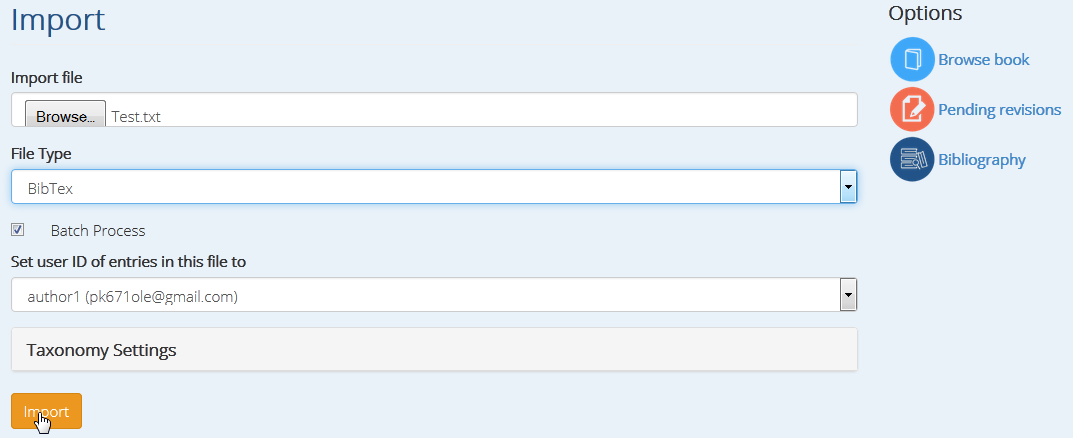
Step 1a. Import Bibliography; the Import page appears.
- From the ‘Import File’ option → in the ‘File Upload’ window, the author can browse the location where he/she has saved the reference text file and open it.
- Go to ‘Select File’ → and select the ‘BibTeX’ option → and press ‘Import’.
The reference text file will be uploaded automatically.
Step 1b. Add Bibliographic resources
This option is when you want to import your reference manually.
- In the Publication Type, select the type of reference that you want to import (e.g. Book, Book chapter, Journal, Journal Article, Report, etc.).
- Once you select the Publication type, you will be automatically directed to the main page for the reference editing. After typing the ‘Title’, you will have to go through the fields, Author, Abstract, Publisher, Keywords etc. and add the relevant information. When finish → before go to ‘Save’, you can ‘Preview’ it.